

AI voice generators turn text into speech, and the useful comparison points are language coverage, how much control you get over pacing, and support for cloning a specific voice. Free tiers usually cap characters rather than quality. Descript generates voices and places them directly in the edit.
AI voice generators turn scripts into spoken audio. The right tool depends on what you make.
Training videos, animated characters, audiobooks, and app narration each need different voices and controls. Compare voice quality, style controls, languages, commercial rights, and free-plan limits.
Free plans often restrict characters, minutes, downloads, or usage rights. Many still let you test their best voices.
AI voice generators use stock or designed synthetic voices. Voice cloning recreates a specific person’s voice from recordings. If you need that, compare AI voice cloning tools.
Key takeaways
- Best AI voice generator overall: ElevenLabs. Its large library and expressive controls make it a strong choice for realistic speech.
- Best for business voiceovers: Murf. Its controls suit training, marketing, presentations, and other recurring business content.
- Best fully free option: TTSMaker. Its Free plan supports 600+ voices, 100+ languages, downloads, and commercial use.
- Best for professional narration: WellSaid. It focuses on polished voiceover with pronunciation, pitch, tone, and emotional controls.
- Best for developers: Amazon Polly and Google Cloud Text-to-Speech. Both add speech through code and charge according to usage.
- Best for voiceovers within an editing workflow: Descript. You can generate speech alongside your audio, video, captions, and transcript.
Best AI voice generators at a glance
Pricing and allowances can change, especially for usage-based and promotional plans. These figures reflect published pricing in September 2026.
The 9 best AI voice generators
1. ElevenLabs: Best AI voice generator overall
ElevenLabs is a strong starting point when natural delivery and expressive control lead your list.
Eleven v3 supports more than 70 languages. It accepts audio tags for laughs, whispers, pauses, and emotional direction.
That range suits narration, dialogue, games, character work, and dramatic scripts. ElevenLabs also offers a large voice library.
You can filter voices by style and use case. Then you can shape delivery without recording each line yourself.
Best for: Realistic narration, character voices, multilingual speech, and expressive delivery.
Considerations: The Free plan works well for testing. Commercial rights begin with a paid plan. Voice cloning is a separate feature.
2. Murf: Best for business and marketing voiceovers
Murf focuses on narration that businesses create often. Examples include training, explainers, product demos, presentations, ads, and e-learning.
It offers 200+ voices across 35+ languages. Controls cover pitch, speed, emphasis, pauses, and pronunciation.
Voice styles help you move between conversational, authoritative, promotional, and instructional delivery. This structure suits repeatable business voiceovers.
Best for: Marketing, learning and development, product education, presentations, and company training.
Considerations: The Free tier suits testing and small projects. Advanced collaboration and multilingual features may require a higher plan.
3. Speechify Studio: Best for long-form narration and written content
Speechify is known for reading written content aloud. Speechify Studio handles finished voiceover production.
Studio includes 1,000+ voices. You can adjust pitch, speed, volume, pronunciation, emotion, and emphasis.
It also supports dubbing and longer narration from scripts. That combination works well for articles, educational materials, presentations, and YouTube scripts.
Best for: Long-form narration, educational content, written-to-audio projects, and creator voiceovers.
Considerations: The Free Studio plan includes 600 credits and lets you test its voices. Commercial usage rights require a paid plan.
4. WellSaid: Best for polished professional narration
WellSaid focuses on polished, professional voiceover. Studio includes curated voices and detailed delivery controls.
You can adjust tone, pitch, pronunciation, and emotional expression. Individual paid plans currently include English voices.
Enterprise adds more languages and translation. The focused setup suits training, product education, and marketing content needing consistent delivery.
Best for: Professional narration, e-learning, company content, and teams that need consistent delivery.
Considerations: The Free tier offers limited downloads without commercial rights. Broader language requirements may lead teams toward Enterprise.
5. TTSMaker: Best fully free AI voice generator
TTSMaker stands out for a free plan that supports publishing.
The Free plan includes 20,000 characters weekly and 600+ voices across 100+ languages. It also permits downloads and commercial use.
Some voices have separate unlimited allowances. Emotional and dialogue controls are lighter than those found in premium tools.
Choose it when you need usable speech without paying upfront.
Best for: Students, hobbyists, prototypes, simple videos, and creators needing commercially usable free speech.
Considerations: Voice quality varies across the library. The Free plan also limits the text allowed in each conversion.
6. LOVO Genny: Best for character voices and voice variety
LOVO Genny is useful when voice variety matters as much as realism.
Its library includes 500+ voices across 100+ languages. Options cover audiobooks, education, advertising, podcasts, games, YouTube, and training.
Genny also includes online video editing, script tools, and subtitles. That range suits character-led and multi-style content.
Best for: Character content, multilingual narration, social media, advertising, and creators who want many stock voices.
Considerations: LOVO changes its plans and promotional pricing periodically. Review the checkout terms before choosing a paid plan.
7. Amazon Polly: Best for AWS developers
Amazon Polly serves developers who need to add speech to products and automated processes.
It supports dozens of voices across more than 40 languages and variants. Available types include Standard, Neural, Long-Form, and Generative voices.
Detailed controls help developers shape generated audio. Pricing depends on the selected voice type and usage.
Best for: AWS developers, voice interfaces, automated narration, accessibility features, and large-scale speech generation.
Considerations: You work through AWS tools or code instead of a visual voiceover editor. Availability varies by voice type and AWS Region.
8. Google Cloud Text-to-Speech: Best for broad developer language coverage
Google Cloud Text-to-Speech offers broad language coverage for apps and automated speech.
Available options include Chirp 3 HD, Studio, Neural2, WaveNet, Standard, and Gemini TTS. Controls and pricing vary by model.
Some models let you adjust pitch, pace, volume, and audio format. The large catalog helps teams serve multiple languages.
Best for: Multilingual products, accessibility features, voice interfaces, and teams already using Google Cloud.
Considerations: You need a Google Cloud project and billing account. The service also lacks a simple creator-style voiceover studio.
9. Descript: Best for AI voiceovers inside an editing workflow
Descript fits voice generation into a wider audio and video editing workflow.
With Descript’s text-to-speech, you can type a script and choose from stock AI voices.
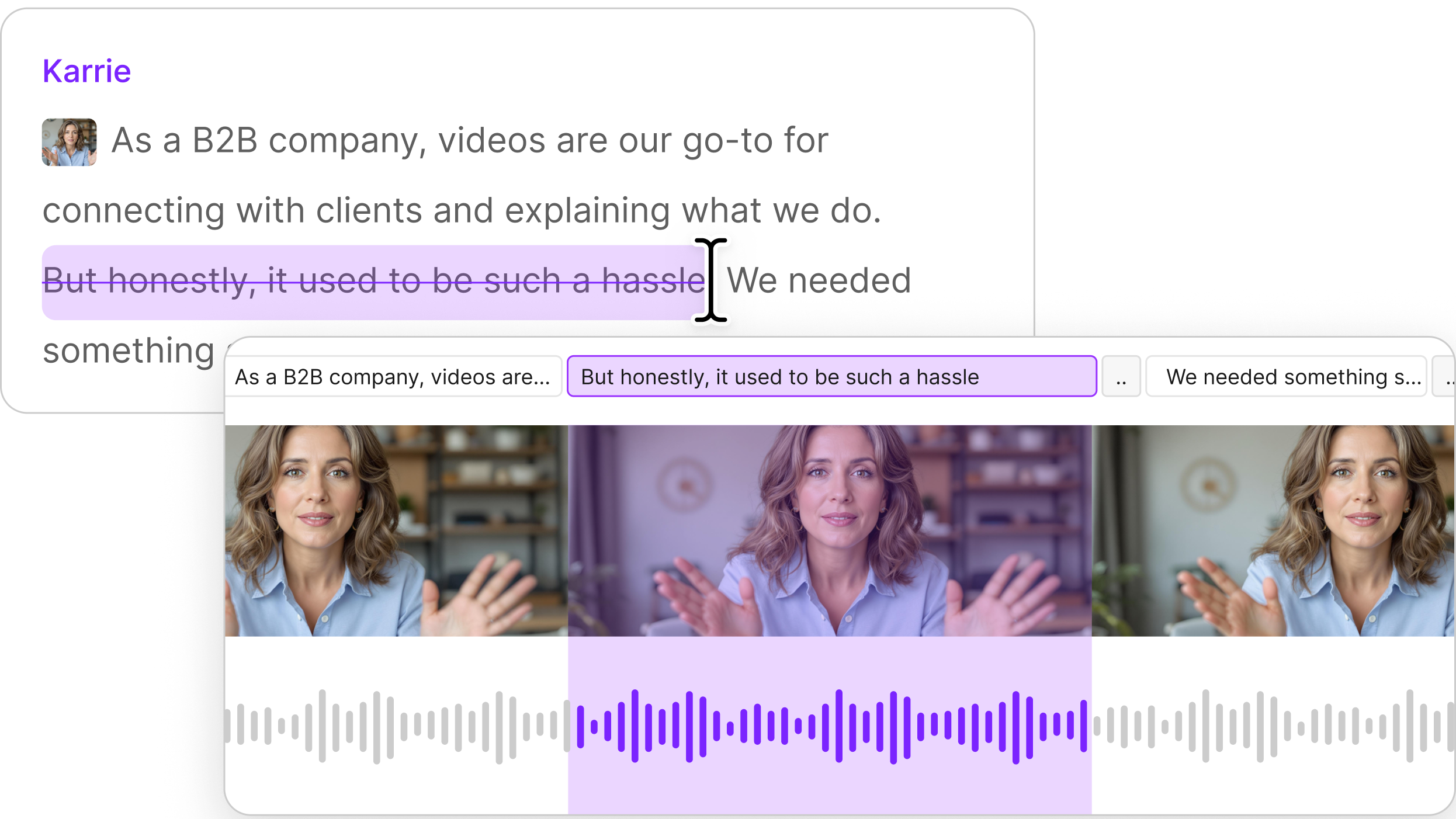
The audio appears beside your video, captions, transcript, and other audio. When the script changes, update only the affected lines.
You can also use transcript editing to revise surrounding content. Regenerate Speech can repair awkward dialogue or edits.
Descript’s stock AI voices speak more than 20 languages.
Best for: YouTubers, podcasters, marketers, educators, and teams adding narration to a larger audio or video project.
Considerations: The stock library is smaller than the largest standalone libraries here. Descript also lacks a full mobile editing app.
Choose Descript when an integrated editing workflow is more useful than browsing thousands of voices.
Best free AI voice generator
TTSMaker is the strongest fully free option if you plan to publish the output.
Its Free plan includes 20,000 characters weekly, 600+ voices, 100+ languages, downloads, and commercial use. Commercial rights are its key advantage.
Several alternatives let you test voices before paying:
- ElevenLabs includes 10,000 monthly credits. Free output is for personal projects.
- Speechify Studio includes 600 credits and access to 1,000+ voices. Commercial usage rights require a paid plan.
- WellSaid allows three download minutes each month. The Free plan excludes commercial rights.
- Murf includes 10 minutes of voice generation across two projects.
- Descript lets Free users try AI Speech within its editing platform.
Free can mean free to test or free to publish. Review commercial rights before using narration in public or paid work.
Most realistic AI voice generator
ElevenLabs is a strong starting point when realistic speech is your top priority.
Its current models accept emotional direction, audio tags, and multi-speaker dialogue across more than 70 languages. These controls can make speech feel performed.
Realism still depends on your script and the voice you choose. WellSaid excels at polished narration, while Murf offers controlled business delivery.
LOVO gives you more character and style choices.
Test the same 100-to-150-word script in two or three tools before buying an annual plan. Include names, numbers, questions, and emotional changes.
Choose the voice that best fits your content. A three-line demo cannot reveal every weakness.
What is an AI voice generator and how does it work?
An AI voice generator converts written text into synthetic speech.
You enter a script and choose a voice. The model predicts pronunciation, pacing, intonation, and sometimes emotion or context.
Many tools let you adjust speed, pauses, emphasis, pitch, pronunciation, or speaking style. Multilingual generators can produce one script in several languages.
That feature can help you translate your audio for other audiences.
Three related terms are easy to mix up:
- AI voice generator: Turns text into speech with a stock or designed synthetic voice.
- Voice cloning: Recreates one real person’s voice from recorded samples.
- Voice changer: Transforms an existing recording into another voice or vocal style.
Here, the focus stays on stock and designed synthetic voices. Compare voice cloning tools when you need a specific voice.
Is AI voice generation legal?
Legality depends on the voice, permissions, license, context, and location.
For stock voices, review the provider’s commercial-use terms. A free plan may restrict public, client, or monetized work.
Cloning a real person’s voice raises consent, privacy, publicity, fraud, and contract questions. Descript requires authorization when someone creates a custom voice.
Its voice ethics policy explains the consent process. Descript’s terms also require the speaker’s permission.
In the European Union, Article 50 transparency rules began applying on August 2, 2026.
They include marking duties for some AI-generated content and disclosure rules for deepfakes. Requirements vary by content and use.
Laws and platform rules keep changing. Review current requirements before publishing.
This is general information, not legal advice. Ask a qualified lawyer about commercial or sensitive uses.
Use Descript for AI voiceovers
Descript keeps AI voiceovers inside the project where you use them.
Start with a script and choose a stock AI voice. Descript generates the narration directly in your project.
You can continue editing the script, audio, video, and timing together. This setup works well for explainers, tutorials, podcast intros, and ads.
It also suits training videos and voiceover videos.
If the script changes after review, edit the text and regenerate the affected narration. You can leave the remaining voiceover alone.
You can also:
- Generate narration with AI text-to-speech.
- Create AI voiceovers alongside your video project.
- Edit spoken content through an automatic transcript.
- Use Regenerate Speech to fix awkward spoken edits without re-recording.
- Continue polishing with Descript’s broader audio editing tools.
Descript’s free and paid plans include different AI-credit and AI Speech allowances.
Start with ElevenLabs, Murf, or LOVO if your priority is the largest standalone voice library.
Choose Descript for an integrated editing workflow.
Frequently asked questions
Which AI voice generator is the best?
ElevenLabs is a strong overall choice in 2026. It combines realistic speech, expressive controls, many languages, and a large voice library.
Murf suits business content, while WellSaid excels at professional narration. Choose TTSMaker for free publishing and Descript for integrated editing.
What is the best fully free AI voice generator?
TTSMaker is one of the strongest fully free options. Its Free plan allows 20,000 characters each week and commercial use.
It also includes 600+ voices across 100+ languages and unlimited downloads. Many competing free tiers restrict commercial publishing.
What’s the most realistic AI voice generator?
ElevenLabs is a strong starting point for realistic speech. Its current models support expressive direction and more than 70 languages.
Results depend on your voice and script. Compare the same sample across several tools before committing to recurring or long-form work.
Is voice cloning illegal?
Voice cloning is legal in some situations. Using a real person’s voice without permission can create serious legal problems.
Privacy, publicity, fraud, contract, and disclosure rules vary by location and use. Compare AI voice cloning tools for more detail.